The QuoteDeck workflow
The office-equipment deal, end to end.
Configure equipment, hold the pricing, route approvals, present the proposal, capture the signature, and keep the renewal in view.
01/Configure
Build the exact equipment package.
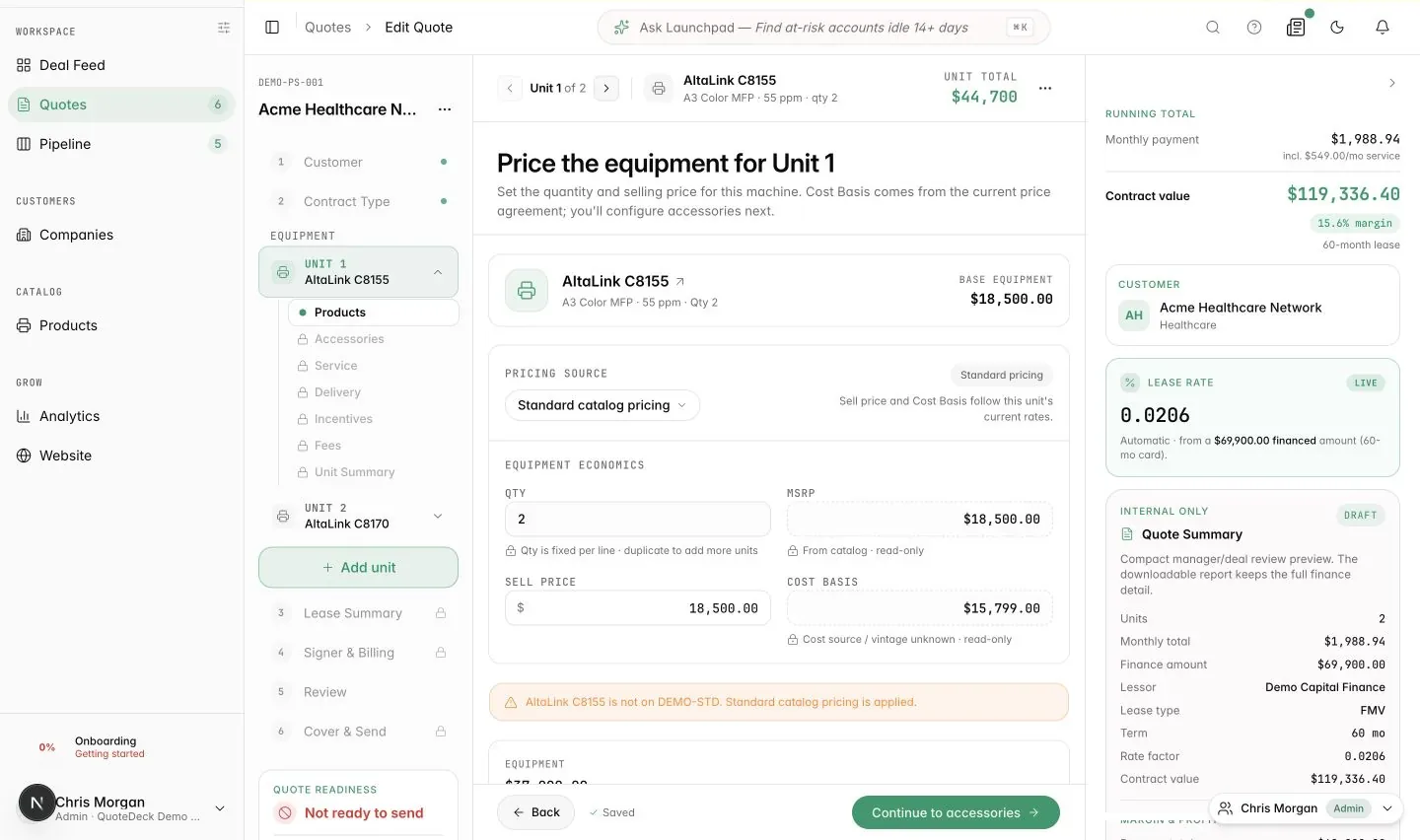
Start with the machine, then carry the right accessories, quantities, service, and delivery details through every unit in the quote.
- A guided, per-unit path through products, accessories, service, delivery, incentives, and fees.
- Launchpad can start a real quote draft in plain language, then hand it back to the same reviewable builder.
02/Price
Price the whole deal in one place.
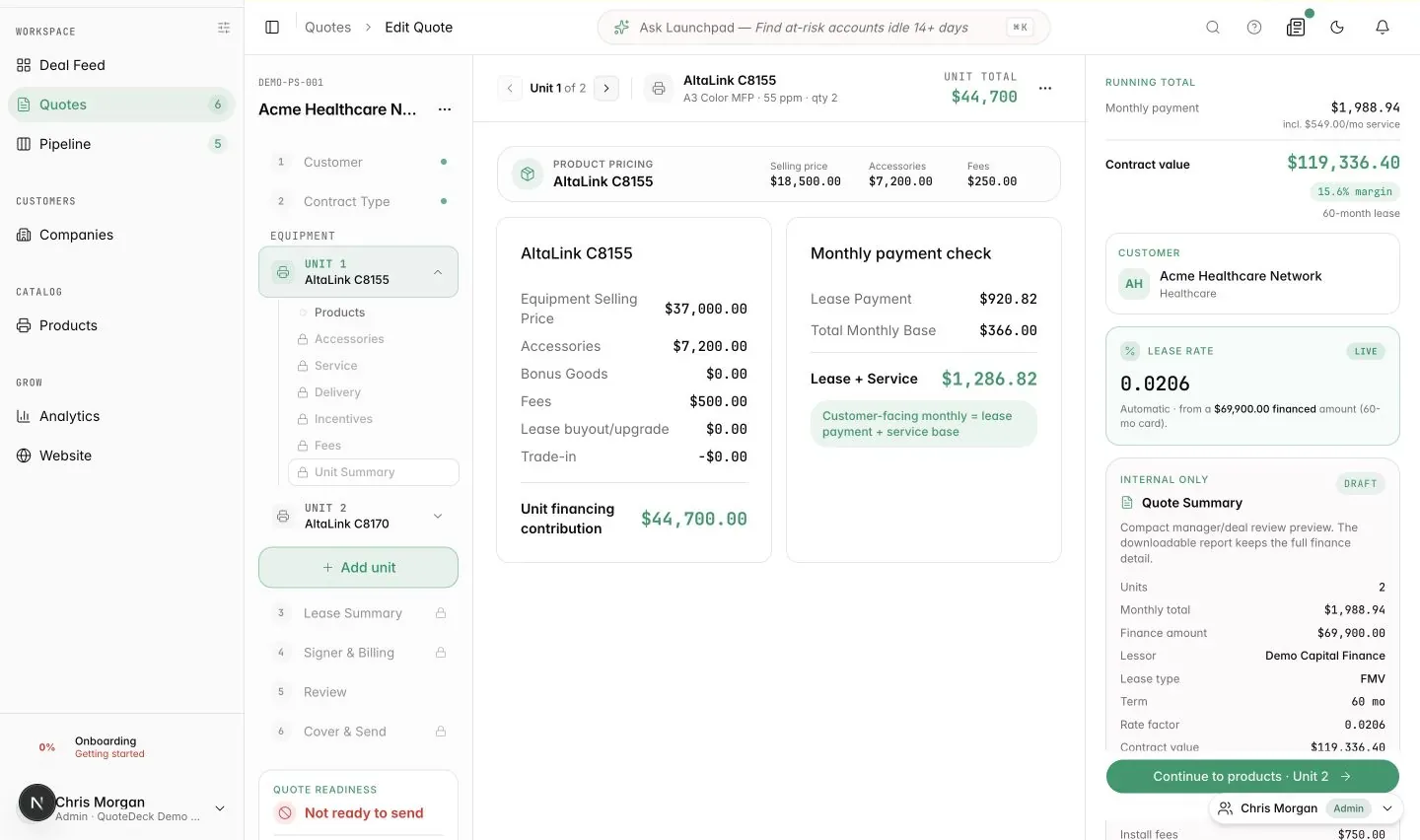
Keep selling price, cost basis, lease factors, service, fees, margin, and the customer-facing monthly payment in one connected calculation.
- The unit summary reconciles equipment, accessories, fees, lease payment, service, and margin before the quote moves forward.
- Scenario Mode lets the rep stress-test term, rate, and discount without changing the original quote.
03/Approve
Route the exception with the numbers attached.
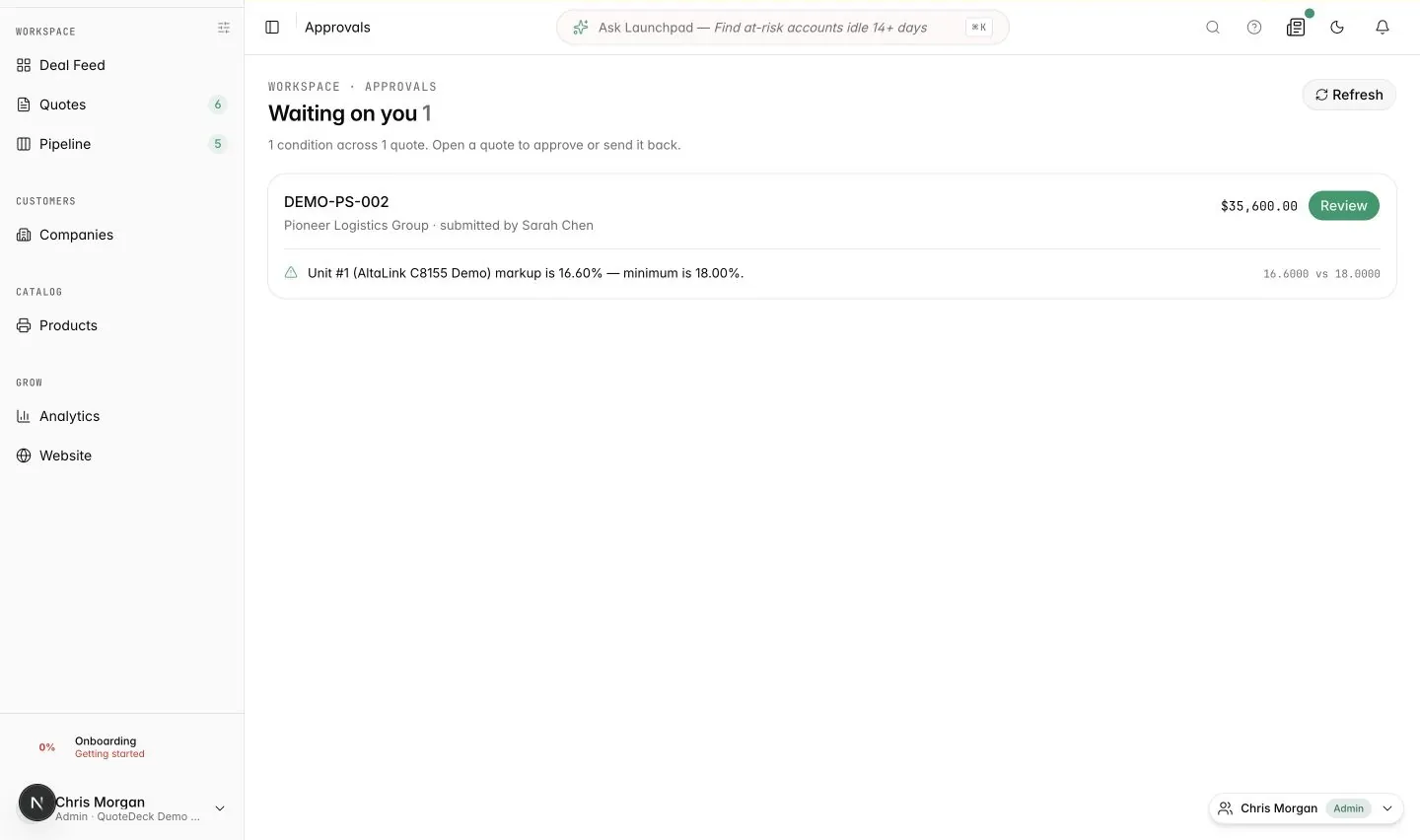
Reps see the condition that needs attention, while managers get a focused review queue with the exact rule and economics that triggered it.
- The manager queue shows the quote, customer, value, submitter, and triggered condition in one reviewable row.
- Approval rules cover markup, selling price, discounts, FSMA allowances, and fees with explicit severity and thresholds.
04/Present
Present the deal customers need to decide.
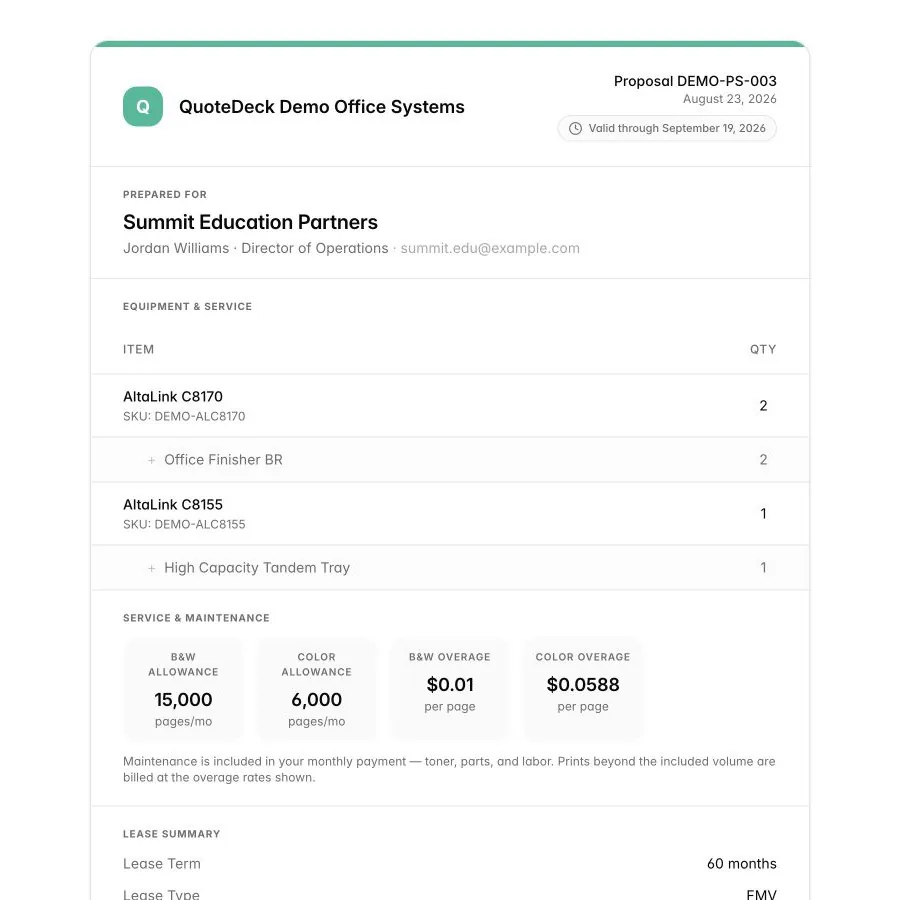
Turn approved equipment, service, and lease terms into a focused proposal that reads clearly on a desktop or phone without exposing internal economics.
- The proposal keeps equipment and service readable while dealer cost, margin, and internal notes remain private.
- The monthly investment and signature path stay clear on the same customer-facing page.
05/Sign
Close the last mile on any device.
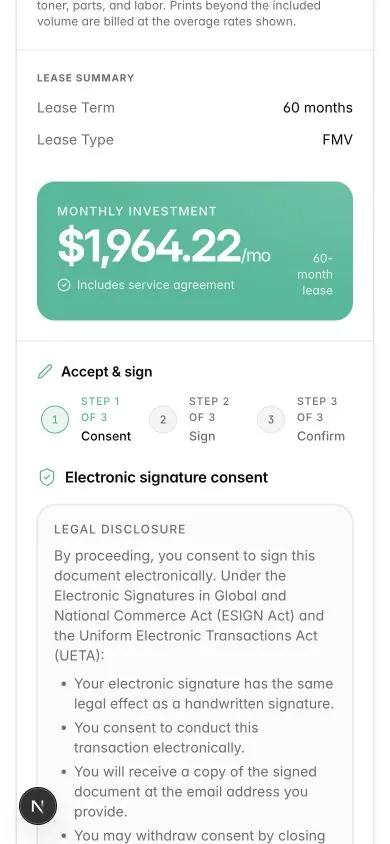
Customers move through consent, signature, and confirmation from the proposal itself, while the finished document returns to the deal.
- The mobile flow makes electronic consent explicit before the customer signs.
- A signed completion state confirms the proposal number and timestamp, then preserves the accepted document.
06/Learn
Keep the signed deal useful.
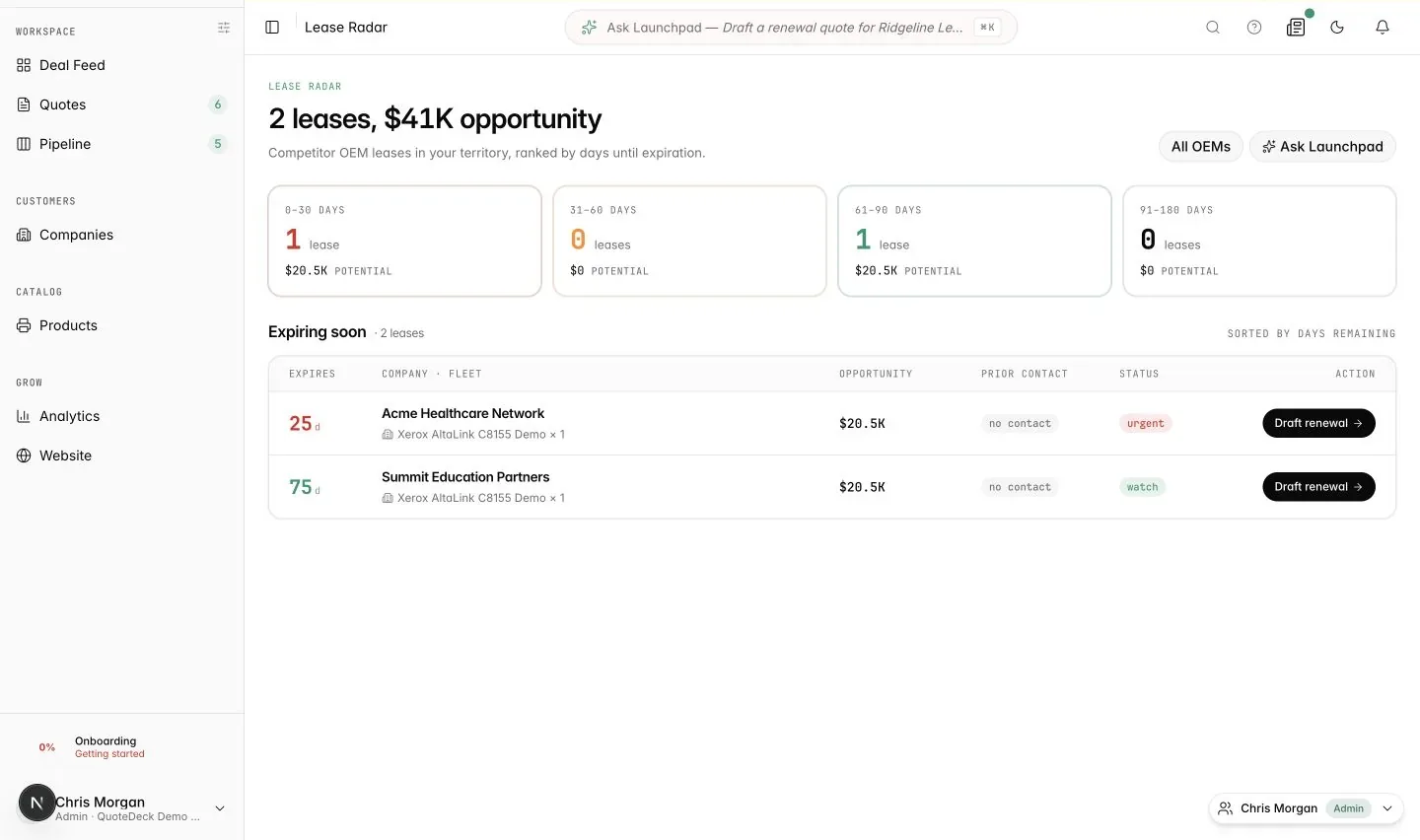
Bring proposal engagement, lease expiration, and next actions back into the daily workflow so the next renewal does not depend on memory.
- Lease Radar ranks delivered and competitor equipment by days remaining and renewal opportunity.
- Deal Feed brings proposal opens, signatures, renewal flags, and next actions into one prioritized view.